Trade with clarity.
Trading signals with every number on the table, an analysis that explains each trade, and a track record published as it is, wins and losses alike.
By joining you agree to our privacy policy. We never share your email.
What Clarevia gives you
Everything you need to understand a signal before you decide, in one app across all your devices.
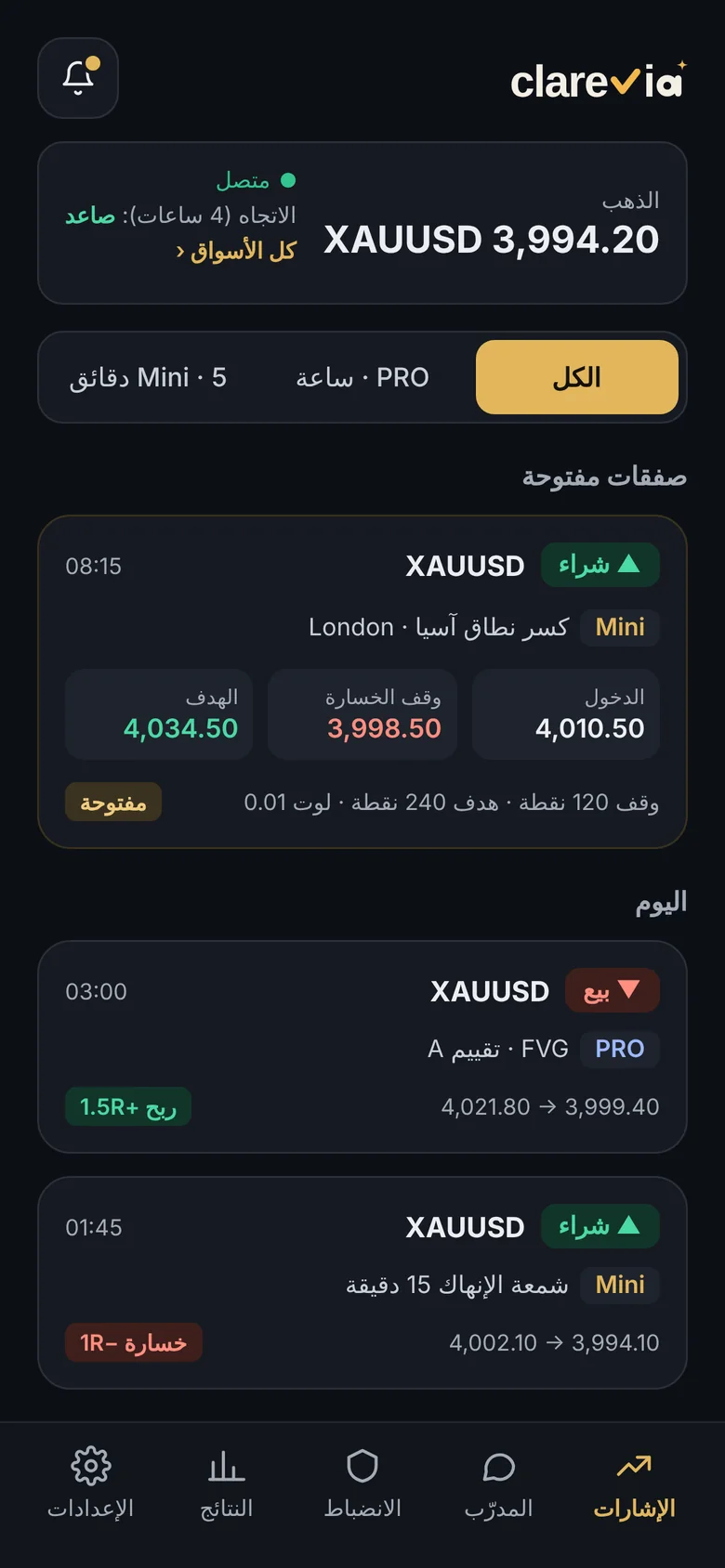
Entry, stop loss, targets and a suggested lot size for your account, before you make a decision.
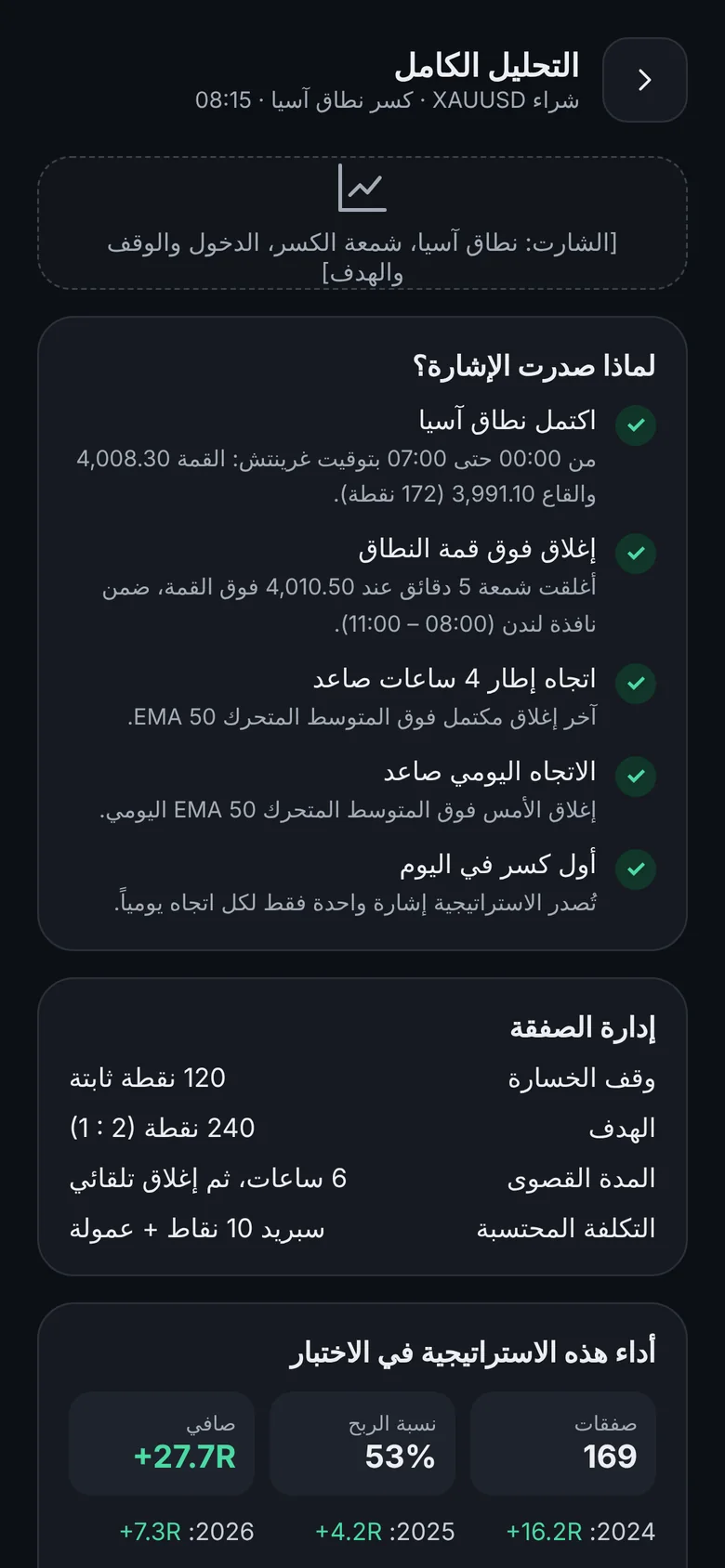
An analysis page showing which conditions were met: higher-timeframe trend, liquidity levels and the entry pattern.
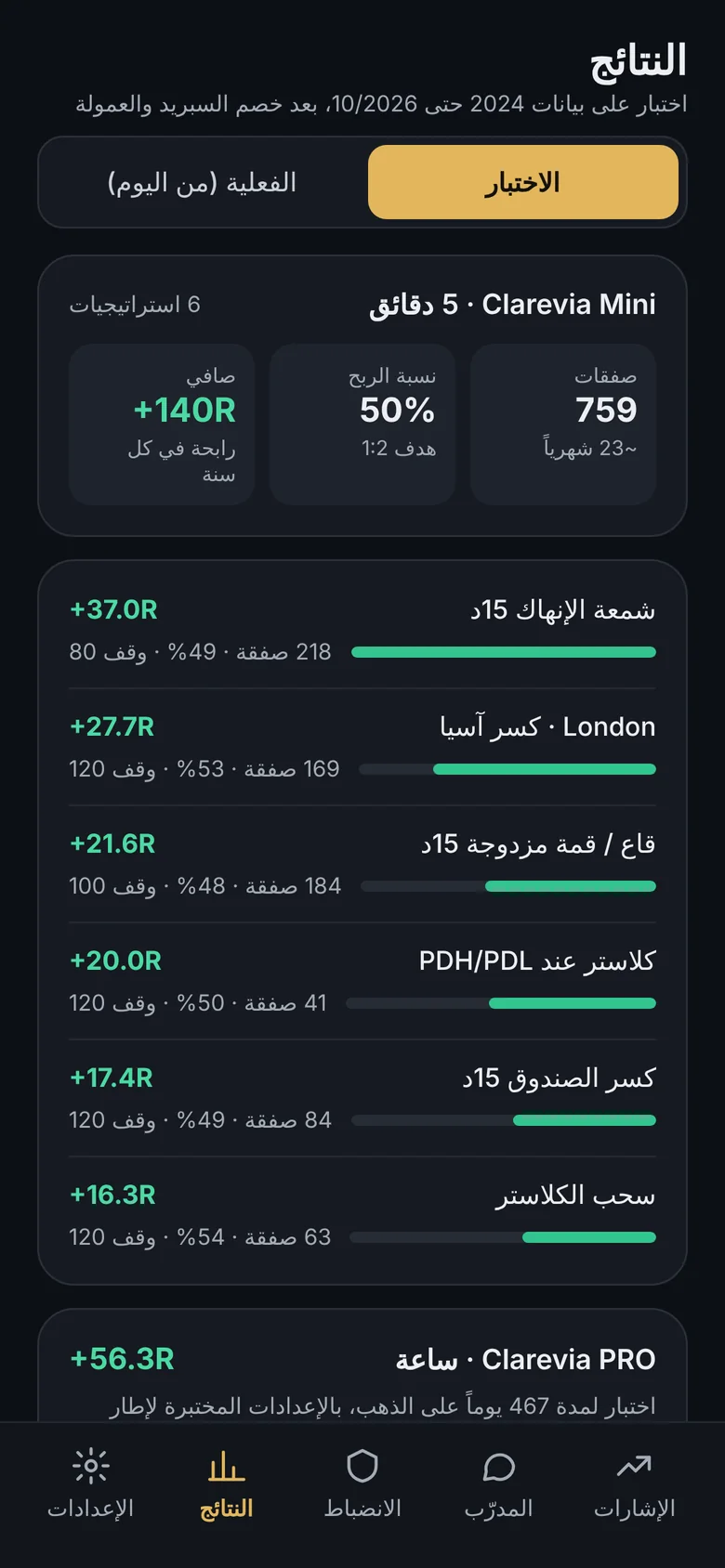
Results for every strategy, published with win rate and longest losing streak.
Ask about any trade you closed or any signal you received, and get a clear explanation and a review of your decision.
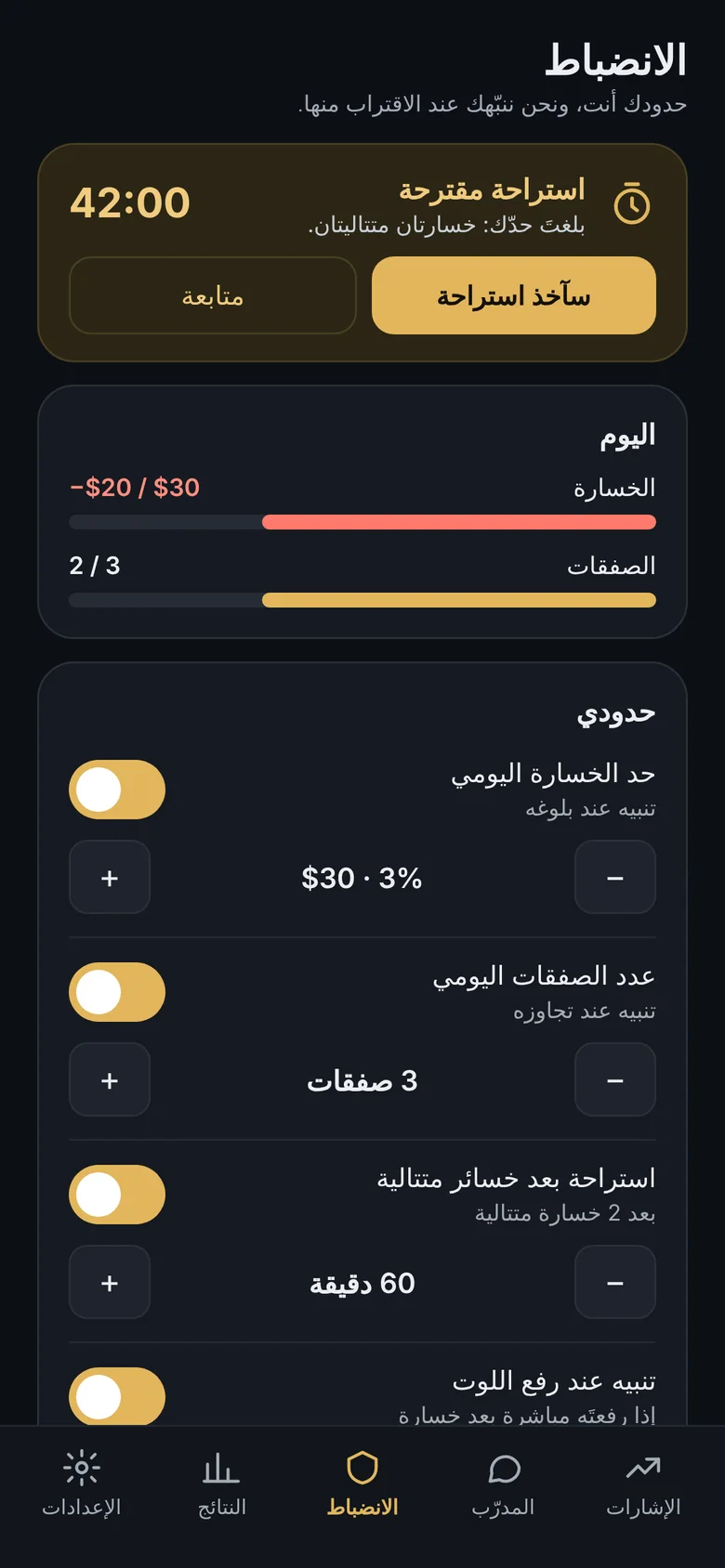
Set a daily loss limit and a trade count, and the app alerts you as you approach them. The decision stays yours.
Money-management basics and a plain explanation of every strategy the app relies on.
Know why the signal appeared.
Every signal has a page explaining the conditions met before entry, and how the trade is managed from the first target to the close.
- Higher-timeframe trend and structure
- Liquidity levels and zones
- How the same strategy performed in testing
The numbers as they are.
We do not show winning trades alone. Every trade is recorded, and every strategy has its own result.
- Win rate and net result per strategy
- Longest losing streak and maximum drawdown
- Breakdown by year
A plan you set, and a reminder to keep it.
Set your daily limits once. The app alerts you as you approach them and suggests a break after consecutive losses.
- Daily loss limit and trade count
- Suggested break after a losing streak
- Alert when you raise your lot after a loss
Three steps, then you start.
With email, Apple or Google.
Capital, risk per trade and the daily limits that suit you.
In the app and on Telegram: entry, stop, targets and the reason.
Live results, from day one.
After launch, the result of every trade the app sends is published here with date and price, with nothing removed or selected.
Backtest results on historical data are hypothetical and have known limits: they do not fully capture real execution conditions and may differ from live results. That is why we show them separately and explain how they are calculated.
Start free, upgrade when you need to.
Prices will be announced at launch. Waitlist members get their first month at a reduced price.
- Backtest results for every strategy
- Core lessons
- One daily trade to review after it closes
- Mini signals on the 5-minute chart
- Detailed explanation of each trade
- Discipline limits
- Telegram alerts
- Everything in Basic
- PRO signals on 15-minute and 1-hour charts
- Unlimited AI coach
- Priority access to new markets
Before you ask.
Does the app place trades for me?
No. The app sends the signal with its full plan. You decide and execute with your own broker.
Are the signals buy or sell recommendations?
No. The content is informational and educational. It shows the signal conditions and strategy results as they are, and the decision stays yours.
Which markets are available?
We start with gold (XAUUSD). Other markets are added one by one after each strategy has been tested on them.
How do I receive signals?
As a notification in the app, and in a Telegram group if you choose, with entry, stop and targets.
Do I need prior experience?
The included lessons cover risk and lot-size basics before you start, and the coach explains any signal you ask about.
Can I use one account on several devices?
Yes. One account works on phone, tablet, computer and web, with settings and history in sync.
Be among the first users.
Leave your email and we will send you the download link on launch day, and nothing else.
By joining you agree to our privacy policy. We never share your email.